
I ran in to an interesting issue today when upgrading a Umbraco 13 project to Umbraco 17 and I thought I'd throw a quick blog together about it.
Using Paul Seal's Package Writer Script CLI, I spun up two clean sites, one with Umbraco 13.13.0 and one with Umbraco 17.1.0. I pointed the project at my database that I wanted to upgrade. This is a clients site which is currently on an earlier version of 13.
By pointing Umbraco 13.13.0 at the database, I get the database upgraded to the latest 13 version. So I spin up the site, login with my user and job done, site is now on 13.13.0.
Next, I point the Umbraco 17.1.0 site at the newly upgraded database and I log in and I get the screen below:
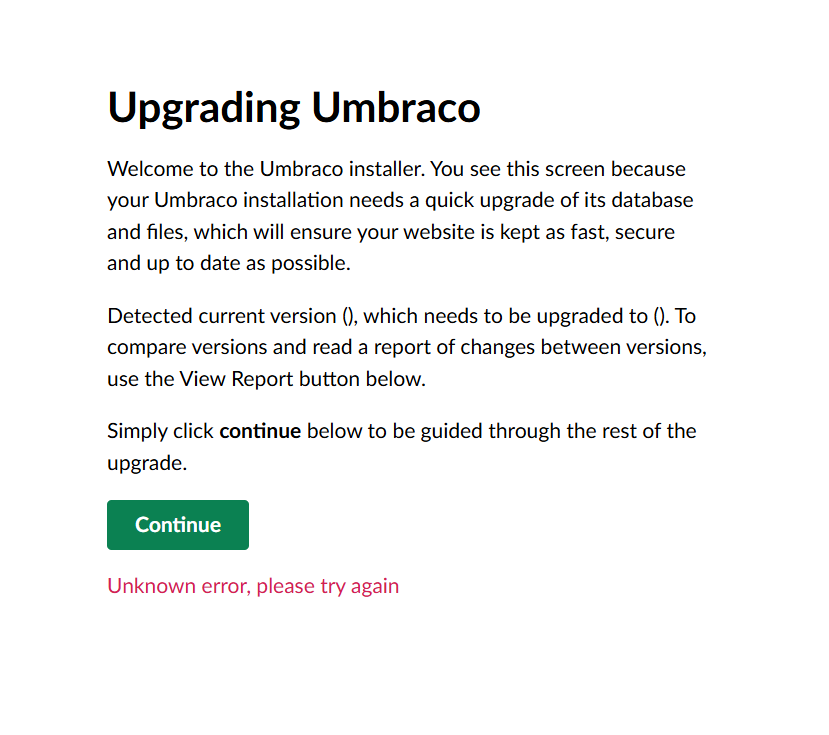
Now the first thing that stood out to me was that the "Current Version" and "Upgraded to" values were missing. I then opened up devtools and noticed an interesting error :
https://localhost:44386/umbraco/management/api/v1/upgrade/authorize net::ERR_ABORTED 403 (Forbidden)
Odd but also sort of makes sense when you think that going from Umbraco 13 to Umbraco 17, the Management API was introduced but I would have thought that if the user that I logged in with on Umbraco 13 had permission to do an upgrade, then on Umbraco 17, it would have the same permissions.
As it happens, it didn't. I logged in to the database, changed the user group that my account was assigned to and tada 🎉
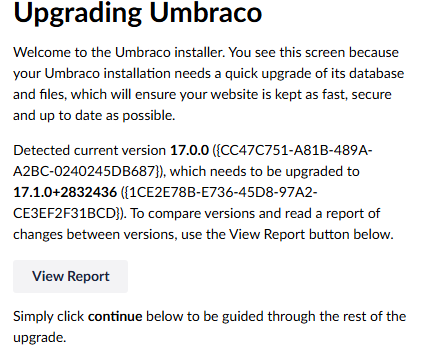
I now I can click continue and the upgrade started.